Walking calculator
Walking time and distance calculator.
Use it as a walking time calculator (how long will 2 miles take?) or a walking distance calculator (how far is a 30-minute walk?). Convert steps to miles and kilometres, or calculate the steps remaining to your own goal. Use the estimate to choose a circular walk.
7,000 steps: example · 10,000 steps: see miles and kilometres
From estimate to route
Turn the number into a circular walk.
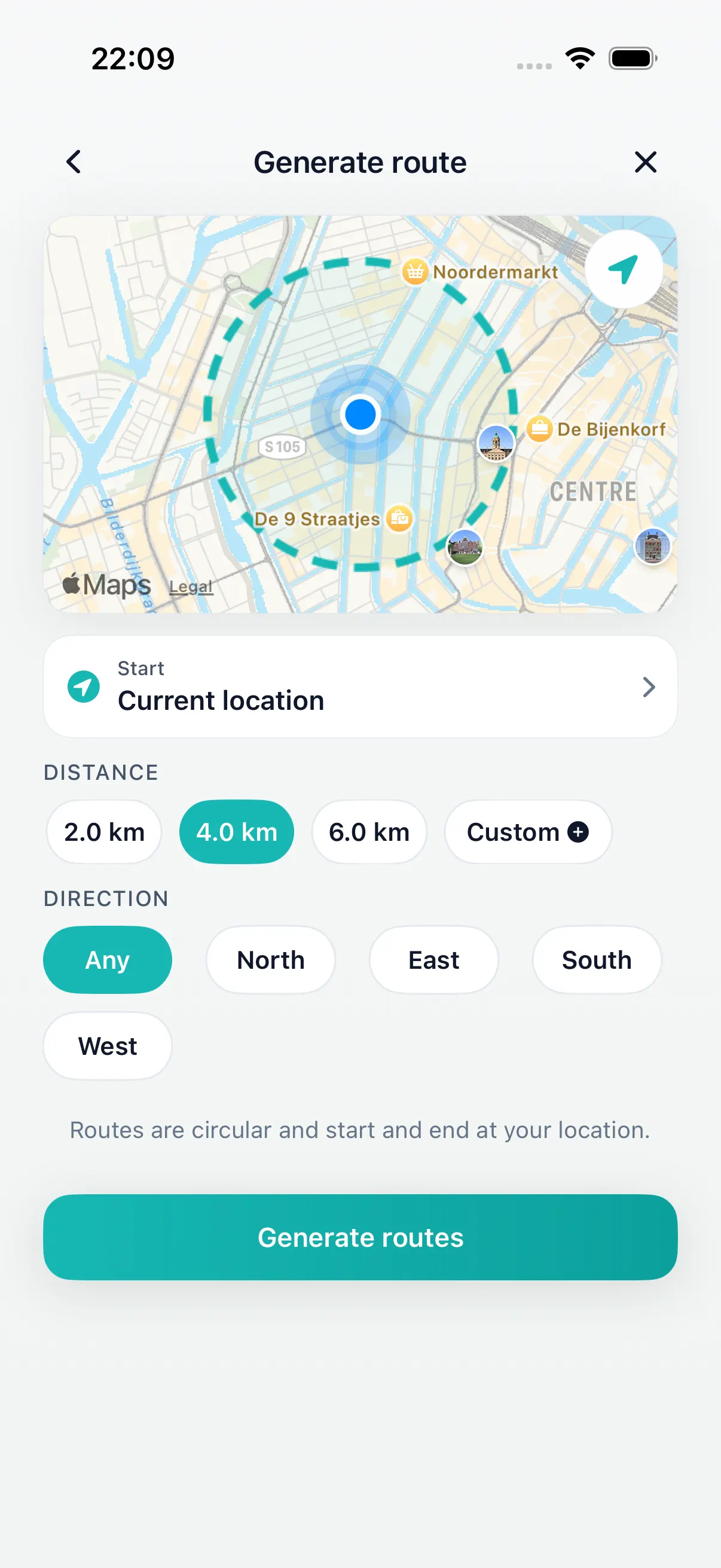
Use the result as a practical starting point in DailyWander. Choose the distance or time, generate loop options from your current location, review the maps, and select a route that returns near where you began.
Useful reference
Common walking-time estimates.
These examples use a steady 4.8 km/h pace. Treat them as starting points and adjust for your own pace and local conditions.
| Walking time | Approx. kilometres | Approx. miles |
|---|---|---|
| 15 minutes | 1.2 km | 0.7 mi |
| 30 minutes | 2.4 km | 1.5 mi |
| 45 minutes | 3.6 km | 2.2 mi |
| 60 minutes | 4.8 km | 3.0 mi |
Quick reference
How many steps and minutes is a walk of 1.2 km, 2.2 km or 2 miles?
Each row uses the calculator defaults: a 76.2 cm (30 in) step and a steady 4.8 km/h (3 mph) pace, with no stops. Enter your own step length and pace above for a personal estimate.
| Walk | Miles | Steps | Time |
|---|---|---|---|
| 0.5 km | 0.31 mi | 660 | 6 min |
| 1 km | 0.62 mi | 1,310 | 12 min |
| 1.2 km | 0.75 mi | 1,570 | 15 min |
| 1.5 km | 0.93 mi | 1,970 | 19 min |
| 2 km | 1.24 mi | 2,620 | 25 min |
| 2.2 km | 1.37 mi | 2,890 | 28 min |
| 2.4 km | 1.49 mi | 3,150 | 30 min |
| 2.5 km | 1.55 mi | 3,280 | 31 min |
| 3 km | 1.86 mi | 3,940 | 38 min |
| 3.2 km | 1.99 mi | 4,200 | 40 min |
| 3.5 km | 2.17 mi | 4,590 | 44 min |
| 3.6 km | 2.24 mi | 4,720 | 45 min |
| 4 km | 2.49 mi | 5,250 | 50 min |
| 4.5 km | 2.80 mi | 5,910 | 56 min |
| 5 km | 3.11 mi | 6,560 | 1 h 3 min |
| 6 km | 3.73 mi | 7,870 | 1 h 15 min |
| 8 km | 4.97 mi | 10,500 | 1 h 40 min |
| 10 km | 6.21 mi | 13,120 | 2 h 5 min |
| Walk | Km | Steps | Time |
|---|---|---|---|
| 0.5 miles | 0.80 km | 1,060 | 10 min |
| 1 mile | 1.61 km | 2,110 | 20 min |
| 1.5 miles | 2.41 km | 3,170 | 30 min |
| 2 miles | 3.22 km | 4,220 | 40 min |
| 3 miles | 4.83 km | 6,340 | 1 h |
| 4 miles | 6.44 km | 8,450 | 1 h 20 min |
| 5 miles | 8.05 km | 10,560 | 1 h 41 min |
Worked example
Turn the steps left today into a walk.
If your own goal is 8,000 steps and you have walked 5,000, the remainder is 3,000 steps. At the example step length of 76.2 cm, that is 2.286 km (about 1.42 miles), or about 29 minutes at 4.8 km/h before stops.
If your current total equals or exceeds your goal, the remainder is zero. The tool does not add another walk to a completed goal.
From estimate to actual route
The app can suggest a loop from your current location. Its own estimation and route-length limits, available walking paths and your real pace can produce a different result.
How far are 7,000 steps?
With a 30-inch (76.2 cm) step, 7,000 steps cover about 3.31 miles, or 5.334 km. With a 60 cm step, the same count covers 4.2 km. These are conversion examples, not recommended daily goals.
Choose Steps to miles & km above, enter 7000 and use the length of your own step.
How far are 10,000 steps in miles and kilometres?
With the example step length of 30 inches (76.2 cm), 10,000 steps are about 4.73 miles, or 7.62 kilometres. Your distance depends on the length of one step; this is not a fixed distance for every walker.
Miles = 10,000 × step length in inches ÷ 63,360. Kilometres = 10,000 × step length in centimetres ÷ 100,000.
| Length of one step | Approx. miles | Approx. kilometres |
|---|---|---|
| 24 in (60.96 cm) | 3.79 | 6.1 |
| 28 in (71.12 cm) | 4.42 | 7.11 |
| 30 in (76.2 cm) | 4.73 | 7.62 |
| 32 in (81.28 cm) | 5.05 | 8.13 |
Select Steps to miles & km in the calculator above, enter 10000, and replace the example step length with your own measurement.
Optional measurement
Measure one step, rather than guessing.
Why step counts and GPS walking distance can differ.
Walk a known distance at your normal pace and count each step. Divide the distance by the count. For example, 20 metres over 28 steps gives about 0.714 metres, or 71.4 cm, per step. Repeat and compare before using the result.
Here, one step means the distance from one footfall to the next. A full two-step stride is different. Changing pace or terrain can change your step length.
Simple calculations
Remaining steps = your goal − steps already walked, with a minimum of zero.
Distance in km = steps × metres per step ÷ 1,000.
Time in minutes = distance in km ÷ speed in km/h × 60.
FAQ
Walking time and distance
How far can I walk in 30 minutes?
At a steady pace of 4.8 kilometres per hour, 30 minutes is about 2.4 kilometres or 1.5 miles. Your actual distance can vary.
How accurate is the walking calculator?
It is an estimate based on the pace you select. Crossings, hills, surfaces, stops, weather, and personal pace can change the result.
Does the calculator use my location?
No. The calculation runs in your browser and does not request or transmit your location.
Can DailyWander turn the estimate into a loop?
Yes. Use the estimated time or distance as a starting point, then generate and review circular route options in DailyWander on iPhone.
How long does it take to walk 1.2 km?
At 4.8 km/h, walking 1.2 km takes 15 minutes before stops. At 3.2 km/h, it takes 22.5 minutes. Choose your pace in the calculator and allow extra time for crossings, hills and breaks.
How many steps are in 2.2 km?
With the example step length of 76.2 cm, 2.2 km is about 2,887 steps: 2,200 metres divided by 0.762 metres per step. With a 60 cm step, it is about 3,667 steps. Select Distance and enter 2.2 kilometres with your own step length for a personal estimate.
Know your distance? Turn it into one of the circular walks near me that start and finish at your door, or browse walking routes near me in the UK.
Plan your walk in your language
Read how to use a time or distance estimate to plan a circular walk on iPhone. These guides include metric examples; the calculator above remains in English.
Norsk bokmål: beregn gåtid og planlegg en gåtur
Svenska: gångtid och promenadrutter
Know the time or distance? Generate the loop.
Open DailyWander on iPhonePut your estimate into a city plan
Steps to miles and kilometres
Select Steps to miles & km, enter your step count and adjust the length of one step. The result shows both units; it estimates distance from your inputs rather than measuring a GPS route.
Miles = steps × step length in metres ÷ 1,609.344. For kilometres, divide by 1,000 instead.
At the example step length of 0.762 metres, 5,000 steps are about 2.37 miles or 3.810 km. With a 0.6-metre step, the same count is about 1.86 miles or 3 km. Use your own measured step length.
| Steps | Approx. miles | Kilometres |
|---|---|---|
| 1,000 | 0.47 | 0.762 |
| 3,000 | 1.42 | 2.286 |
| 5,000 | 2.37 | 3.810 |
| 7,000 | 3.31 | 5.334 |
| 8,000 | 3.79 | 6.096 |
| 10,000 | 4.73 | 7.620 |
How to measure the length of one step · Why steps and GPS can give different distances
Have a route file rather than an estimate?
Check the distance in your GPX, then return here to estimate walking time for your pace.
Walking time by distance
- How long does it take to walk half a mile?
- How long does it take to walk a mile?
- How long does it take to walk 1.5 miles?
- How long does it take to walk 2 miles?
- How long does it take to walk 2.5 miles?
- How long does it take to walk 3 miles?
- How long does it take to walk 4 miles?
- How long does it take to walk 5 miles?
- How long does it take to walk 6 miles?
- How long does it take to walk 7 miles?
- How long does it take to walk 10 miles?
Steps and miles
- How many steps are in a mile?
- How many steps a day to lose weight?
- How many steps is 2 miles?
- How many steps is 3 miles?
- How many steps is 4 miles?
- How many steps is 5 miles?
- How many steps is 6 miles?
- How many steps is 8 miles?
- How many steps is 10 miles?
- How many miles is 3,000 steps?
- How many miles is 4,000 steps?
- How many miles is 5,000 steps?
- How many miles is 6,000 steps?
- How many miles is 7,000 steps?
- How many miles is 8,000 steps?
- How many miles is 9,000 steps?
- How many miles is 10,000 steps?
- How many miles is 12,000 steps?
- How many miles is 15,000 steps?
- How many miles is 20,000 steps?
- How many miles is 25,000 steps?
- How many miles is 30,000 steps?