Begin with the steps left, not the whole daily goal
Subtract today’s step total from the goal you chose. Convert the remainder into an estimated distance, then check whether that distance fits the time you have. The numbers below are an example, not a recommended daily target.
8,000 − 5,000 = 3,000 steps left
Using an example length of 76.2 cm per step, 3,000 steps is 2.286 km—about 1.42 miles or 2.3 km. At the calculator’s steady 4.8 km/h pace, that is about 29 minutes before stops.
From today’s total to a route you can review
- Check your current total. Use today’s count in DailyWander or your tracker. Health data can take time to update, so check that you are looking at the current day.
- Estimate what remains. Enter your own goal and completed steps in the calculator. If you know your measured step length, use it instead of the starting assumption.
- Open DailyWander. When a permitted Health summary is available, Home can estimate a route target from your remaining steps. You can also choose distance or walking time manually.
- Review the proposed loop. Look at the displayed distance and time, crossings, return point and walking paths. Three-route comparison is a Premium feature.
- Record and finish the walk. Compare the actual recorded walk and refreshed daily count with the estimate. Extra steps before or after the loop also contribute to the day.
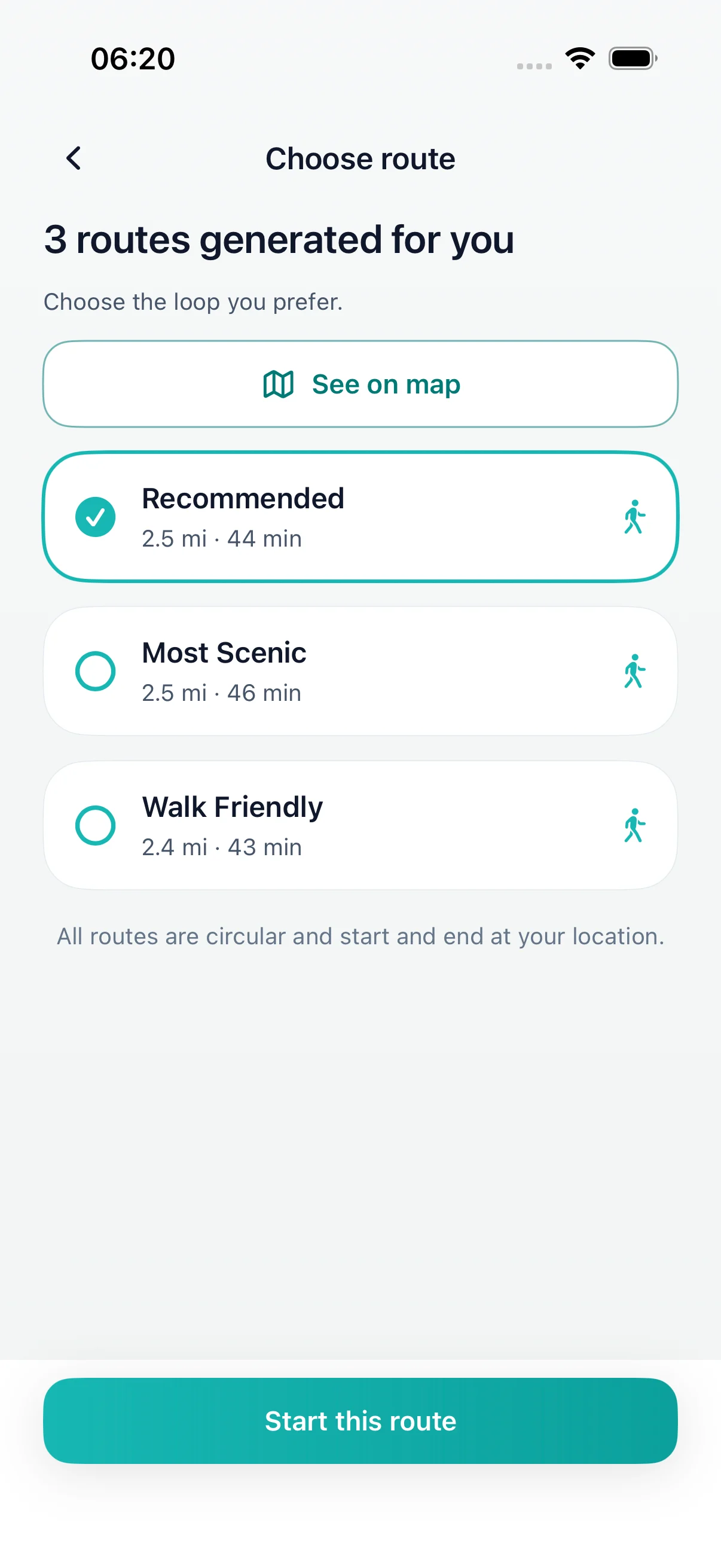
A few examples to make the calculation concrete
These rows use 76.2 cm per step and 4.8 km/h throughout. They are arithmetic examples before stops. Your actual step length and pace can differ.
| Steps left | Miles | Kilometres | Moving time |
|---|---|---|---|
| 1,000 | 0.47 mi | 0.76 km | 10 min |
| 2,000 | 0.95 mi | 1.52 km | 19 min |
| 3,000 | 1.42 mi | 2.29 km | 29 min |
| 5,000 | 2.37 mi | 3.81 km | 48 min |
What if the estimate does not fit your time?
If 3,000 remaining steps works out to about 29 minutes but you only have 20, choose a 20-minute walk that fits your day. You do not need to turn every remaining step into one continuous walk. Crossings, pauses and the return to your starting point need time too.
For a fixed half-hour window, use the 30-minute loop guide. The calculator offers an example planning allowance; it does not know local conditions or guarantee a finish time.
Why the app and calculator can show different distances
The website uses the pace and step length you enter. DailyWander has its own estimates, practical route-length limits and available paths to work with. A very small remainder may still lead the app to suggest a short walk, and a large remainder may need more than one outing.
A step count estimates movement from individual steps. A GPS route measures a recorded path. Turning, stopping, GPS gaps and differences in step length mean they do not always match exactly. Read how recorded routes can differ and review the map before you start.
What if your goal is already complete?
The remaining-step calculation stops at zero. If your goal is 8,000 and your current count is 8,200, it does not prescribe another 200 steps. DailyWander may offer an optional walk after a completed goal; that is a separate choice.
Can you do this without Apple Health access?
Yes. You can type a goal and step count into the website calculator yourself. It does not connect to Apple Health. In DailyWander, automatic remaining-step estimates depend on available, permitted Health data; without that summary you can still choose walking distance or time.
See Apple Health sync and choosing distance or time for the relevant app behavior.
Make the estimate more personal
Walk a known distance at your usual pace and count each step. Divide distance by the count: 20 metres over 28 steps is about 71.4 cm per step. One step is one footfall to the next, not a full two-step stride. Repeat the measurement and use it as a starting estimate, because terrain and pace can still change it.
The calculator keeps entered counts and measurements in the browser. It records basic usage choices, not your step goal, current count or step length.
Choose a loop that fits today.
Use the estimate to make a practical route decision, then let the completed walk show what you actually covered.