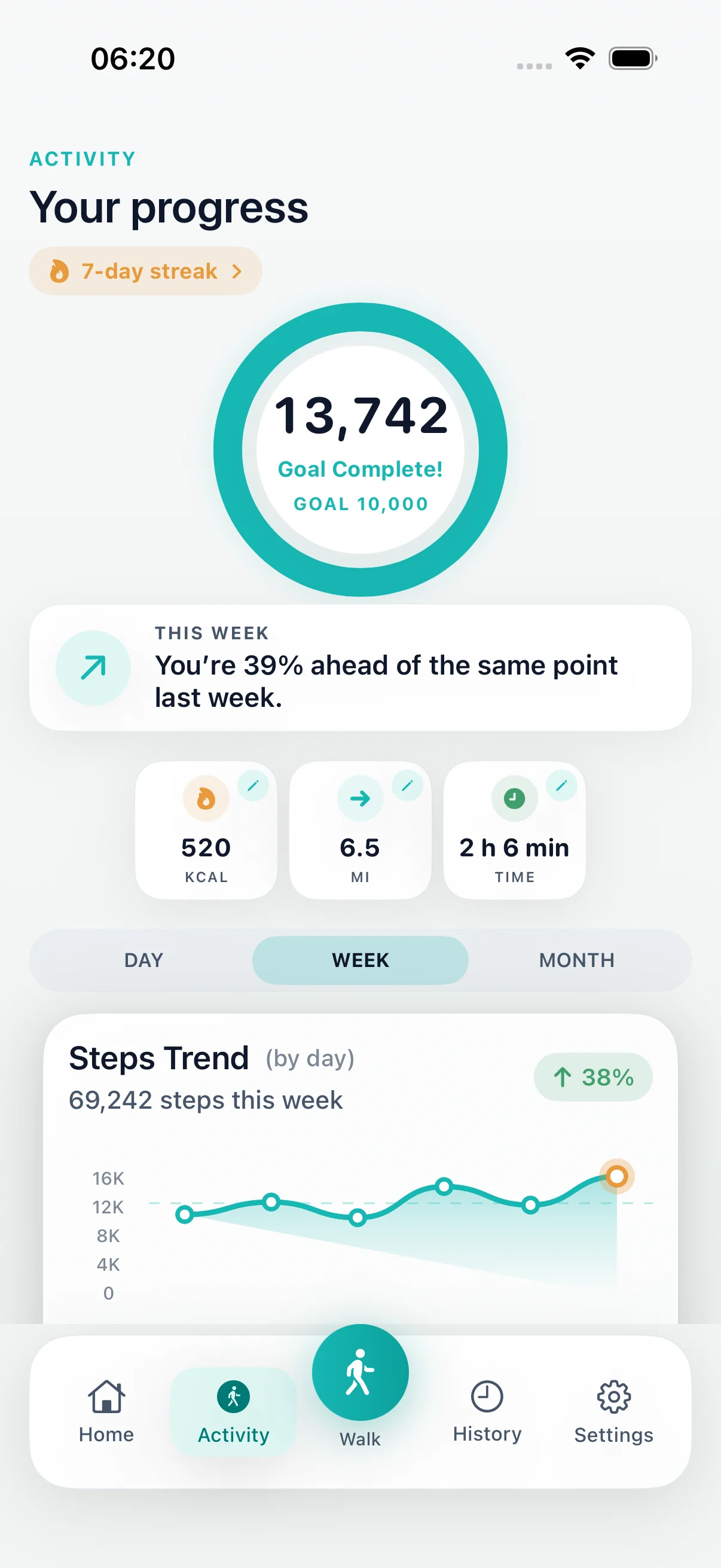
Save the walk
Start a generated walking route from your current location.
Free walking app for iPhone
Download DailyWander free, choose a distance or time, and generate a loop from your current location. Track distance and steps, then review the completed route in your walk history.
Inside the app
Start a generated walking route from your current location.
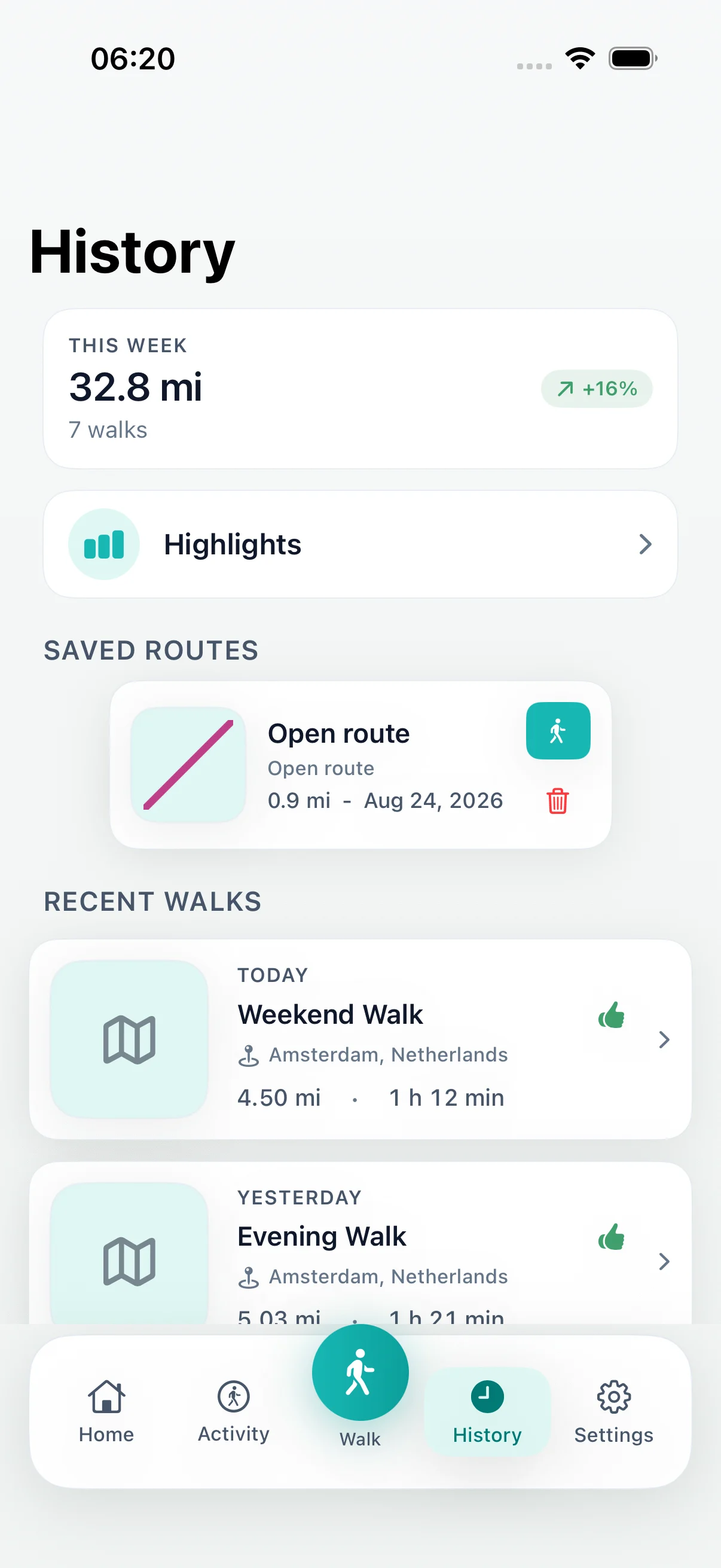
Review the recorded route, distance, time and steps after the walk.
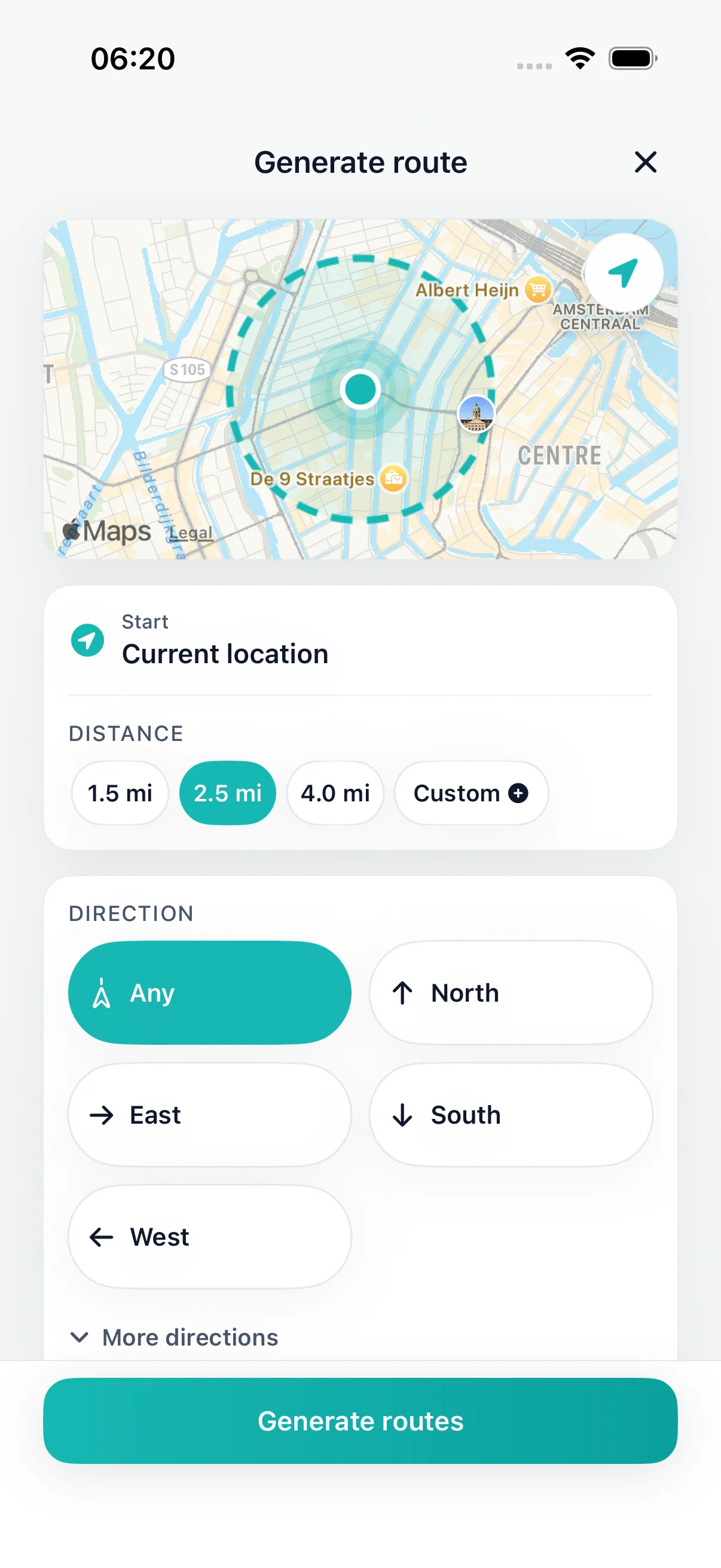
Choose a distance or time window that fits today.
DailyWander
Free walking app for iPhone that plans loop routes, tracks distance and steps, saves completed maps, and optionally syncs with Apple Health.
Free walking app for iPhone
Download DailyWander free, choose a distance or time, and generate a loop from your current location. Track distance and steps, then review the completed route in your walk history.
Choose a distance or time window that fits today.
Start a generated walking route from your current location.
Keep Apple Health sync optional and under iOS permission control.
Install DailyWander
Open the App Store link on iPhone, or scan the QR code from another device. DailyWander is free to download, with optional Premium.
Open DailyWander on the App Store
Start a walk on iPhone
DailyWander connects the part before a walk with the record afterward. Choose how far or how long you want to walk, compare generated loops from your current location, then start the route you prefer.
During the walk, the app follows your progress. After you finish, open History to review the recorded route map, distance, time, steps, and other available activity details.
Route history
After a completed walk, open DailyWander's History and select the walk you want to review. When a GPS trace was recorded, the detail view shows the route on a map alongside the walk's available metrics.
If route coordinates are unavailable, the saved activity can still retain details such as distance, duration, steps, and date. Location and Health permissions remain under your control in iOS.
Choosing an iPhone walking app
The best choice depends on whether you need a route, a workout record, destination directions, or only a step count. DailyWander is designed for people who want route planning and walk history in the same iPhone workflow.
Generate several round-trip routes instead of starting from a blank map or inventing every turn.
Review the GPS route map for a completed walk when route data was recorded.
Keep distance, duration, steps, streaks, and completed-walk history in one place.
Start with the free iPhone download. Premium is optional and adds extra features.
Use the Apple Health walking app workflow only when you grant permission in iOS.
Use a destination map for the fastest route to a known place. DailyWander focuses on generated walks that return near the start.
Before you download
DailyWander explains the permissions and limitations behind the walking experience, so you can decide with confidence before opening the App Store.
Browse the DailyWander Help CentreExplore
Compare two iPhone apps for generated daily loop walks.
Apple Health walking appPlan walks and sync completed activity when you allow it.
Daily walking appPlan the walk, save progress, and make the habit easier to repeat.
Walking routes near me appGenerate nearby route options from your current location.
Walking route generatorChoose a distance and generate route options automatically.
Walking streak trackerFollow a free 30-day plan and track consecutive completed-walk days.
Walking route plannerChoose a distance, direction, or time window on iPhone. DailyWander generates loop options, shows each route on a map, and brings the walk back near where it started.
Loop walking route plannerDailyWander builds practical walking loops: pick the distance, check the options, then start from your current location.
Route planner vs step counterCompare choosing a walking route with passively measuring daily steps.
DailyWander Help CentreTroubleshoot route generation, recording, Apple Health, and Premium.
FAQ
DailyWander is free to download and can plan and record walks. Optional Premium subscriptions add extra features.
Open DailyWander, choose a distance or time, compare the generated loop routes, select one, and start the walk from the app.
Yes. Open your DailyWander history and select a completed walk to review its recorded route map and activity details when route data is available.
Yes. A recorded walk can include distance, duration, steps, route history, and other activity details.
Yes, when you grant permission. Apple Health access is optional and controlled through iOS.
No. DailyWander plans, records, and saves walks on iPhone without requiring an Apple Watch.
Product help
These maintained guides explain the route, location, Health, battery, GPS, and streak behavior behind DailyWander.
Browse route, recording, Health, GPS, battery, and streak guidance.
Apple Health permissionsReview the optional iPhone permissions used for completed walks.
Background locationUnderstand recording when the screen is locked or another app is open.
Battery useSee what affects power use while a walk is being recorded.
Walking streaksLearn how completed-walk days count toward a streak.
 Start a walk on iPhoneFree download · Premium optional
Get
Start a walk on iPhoneFree download · Premium optional
Get