Already count your steps?
Give your remaining steps a route.
Keep the tracker you like. Use Daily Wander when you want a walk that starts nearby and brings you back. Choose a distance or walking time; with available, permitted Apple Health data, the app can also estimate a target from your remaining steps.
Works on iPhone without an Apple Watch. Three-route comparison requires Premium.
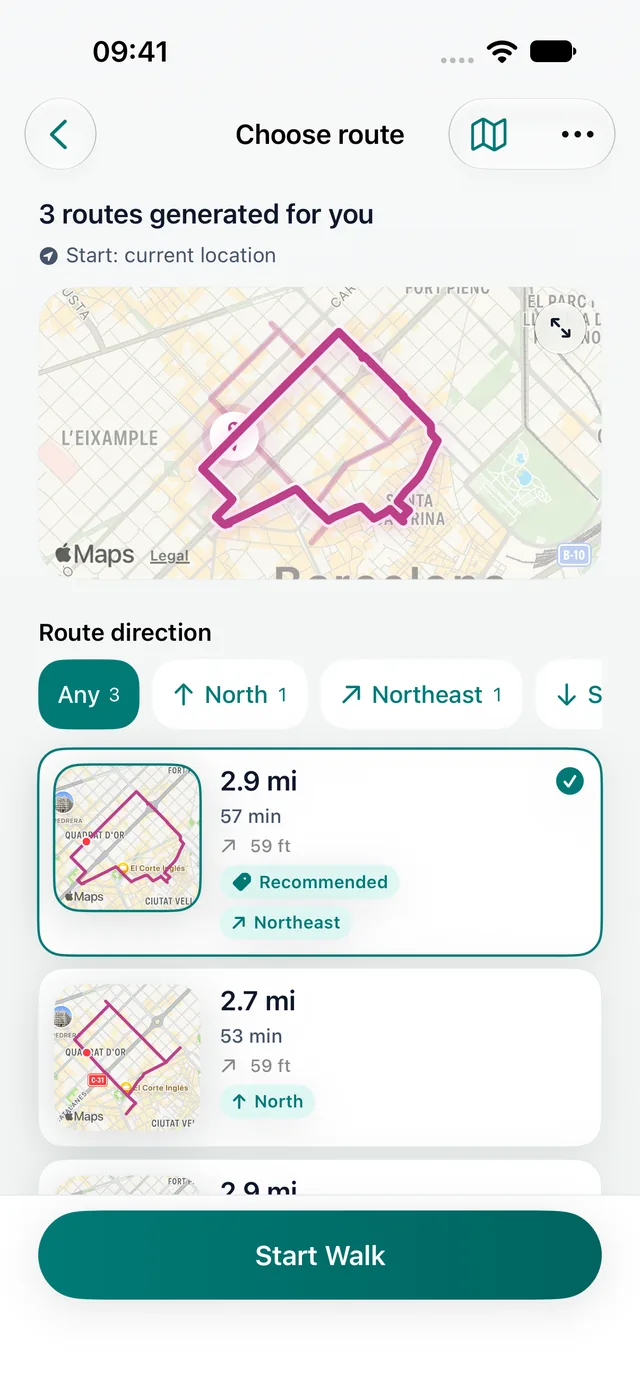
Walking route planner vs step counter
| Need | Walking route planner | Step counter |
|---|---|---|
| Before the walk | Generates or maps a route | Usually waits for movement |
| Primary input | Distance, time, direction, or location | Motion and Health data |
| Primary output | A route you can follow | Steps, distance estimates, goals, and trends |
| Best for | Loop walks, unfamiliar places, and limited time | Passive totals, streaks, goals, and progress |
| Daily Wander fit | Core purpose | Supporting activity detail |
Choose a walking route planner when the decision is the problem
You may already know that you want to walk but still postpone it because you do not know which streets to take, how far the route will be, or whether it will bring you back. A circular route planner solves that uncertainty before the walk begins.
Daily Wander starts with your current location and a practical constraint such as distance or available time. It generates a round-trip route you can review on the map. With Premium, compare three options before choosing your walk.
Choose a step counter when measurement is the main goal
A dedicated step counter is the better fit when you want passive all-day totals, step goals, detailed trends, watch complications, social leaderboards, or broad wearable synchronization. Those features do not require a planned walking route.
If you already know where you will walk and only need measurement, a route generator may add little. The right product depends on whether your obstacle is choosing the walk or measuring it.
You can use both
Route planning and activity measurement are complementary. Daily Wander can generate and record the chosen loop while permitted iPhone and Apple Health data keeps the activity record connected. A separate step-focused product may still provide deeper all-day analytics or wearable features.
Daily Wander does not require an Apple Watch. Apple Health access is optional, and route planning remains available without it.
FAQ
Common questions
Is a walking route planner the same as a step counter?
No. A route planner decides where you can walk before you start. A step counter primarily measures movement and steps.
Does Daily Wander count steps?
A completed Daily Wander walk can include steps and other activity details, but its core purpose is generating and recording circular walking routes.
Do I need an Apple Watch for Daily Wander?
No. Daily Wander plans and records walks on iPhone without requiring an Apple Watch.
Daily Wander
Choose the route before you count the walk.
Generate circular routes from your current location and record the result on iPhone.