I have a number of minutes
Estimate how far you can walk in the time available. Start with 30 minutes and adjust it.
Calculate by time →Ways to plan a walk
Start with your time, distance or steps. Get an estimate, then use it to plan a circular walk in DailyWander.
Four ways to start
Choose a calculator mode. You can change every example to fit your own walk.
Estimate how far you can walk in the time available. Start with 30 minutes and adjust it.
Calculate by time →Enter kilometres or miles to estimate walking time and steps.
Calculate by distance →Convert a step count into distance and walking time using your own step length.
Convert steps →Enter your own goal and steps already walked. Calculate only the steps remaining.
Calculate remaining steps →30 minutes to walk · 3,000 steps remaining: example goal 8,000 minus 5,000 walked
Generate a walking route · Walk from your location · Plan a circular walk · Build a walking routine
Popular time windows
Walking time remains an estimate. Leave return margin when crossings, hills, surfaces, weather, or a fixed commitment could slow you down.
A practical everyday loop when half an hour is the available window.
45-minute walkA longer neighborhood loop when 30 minutes feels rushed.
Lunch-break walkPlan a route with enough margin before work begins again.
After-dinner walkChoose an evening loop that returns near where you started.
When the plan is ready
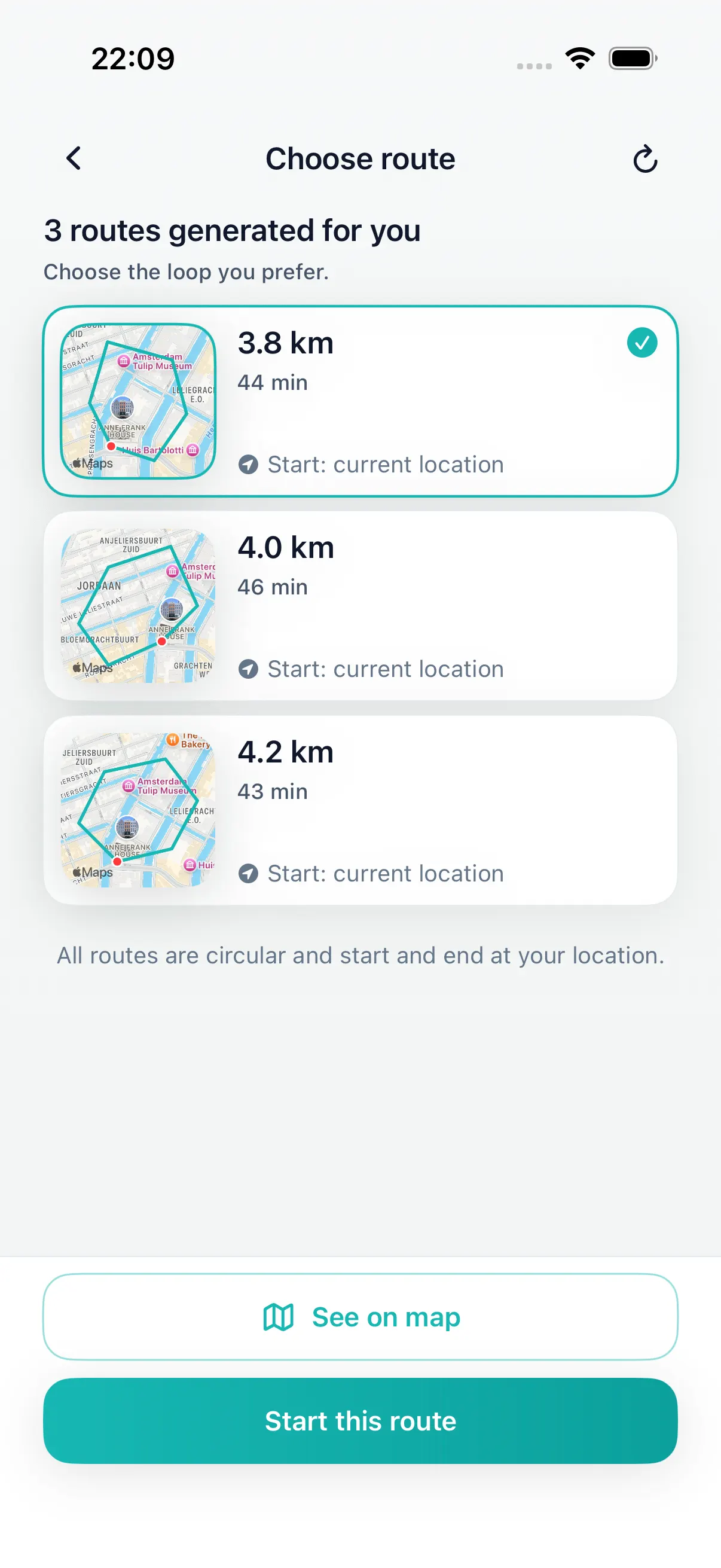
DailyWander creates circular route options from your current location. Compare the maps, choose the best fit, follow the walk, and review distance, time, steps, and history afterward.
If you already have a daily step goal, subtract the steps you have walked and use the remainder as a planning estimate. Read the step-goal-to-route guide, or use the remaining-steps calculator. You can then review a loop for the time or distance that fits today.
Use the walking route planner guide for Ireland to choose a circular walk from your current location and review the return point.
Preview its shape, distance and start-to-finish gap before opening it on iPhone.