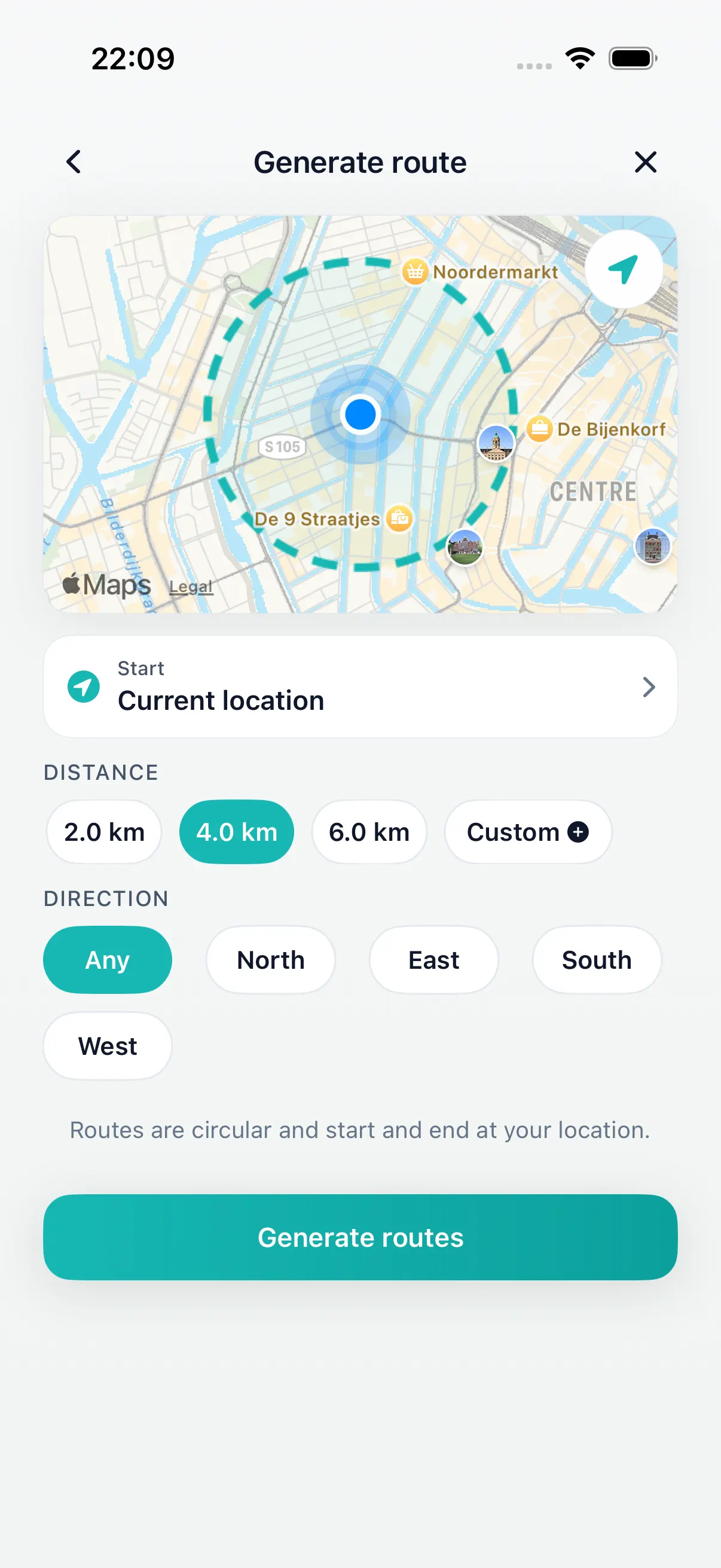
Pick the distance
Start with the time or distance you actually have for today's walk.
DailyWander vs Google Maps
Google Maps is excellent when you know where you are going. DailyWander is built for the earlier question: how far do you want to walk, and which loop should you take from here?
Walking directions to a known destination.
Generated loop walks from your current location.
You travel to an area first, then want a walk there.
Workflow comparison
Google Maps starts with a destination. DailyWander starts with a walking intent: distance, route shape, route style, and returning near where you started.
That makes DailyWander a better fit for daily walks, lunch breaks, after-dinner loops, and travel moments where you want to explore without manually designing every turn.
| Need | Google Maps | DailyWander |
|---|---|---|
| Best starting point | A place, address, saved location, or map pin. | A target distance and your current location. |
| Walking directions | Step-by-step directions to a destination. | Walking routes generated for a loop or everyday walk. |
| Route shape | Usually point-to-point, with stops if you add them. | Circular route options that return near the start. |
| Route choice | Alternate routes when available. | Multiple generated walking variants with shuffle and direction controls. |
| Daily walking habit | Useful for navigation, search, and places. | Walk history, streaks, and optional Apple Health sync. |
| Best answer | How do I get there? | Where can I walk from here and come back? |
Inside DailyWander
Start with the time or distance you actually have for today's walk.
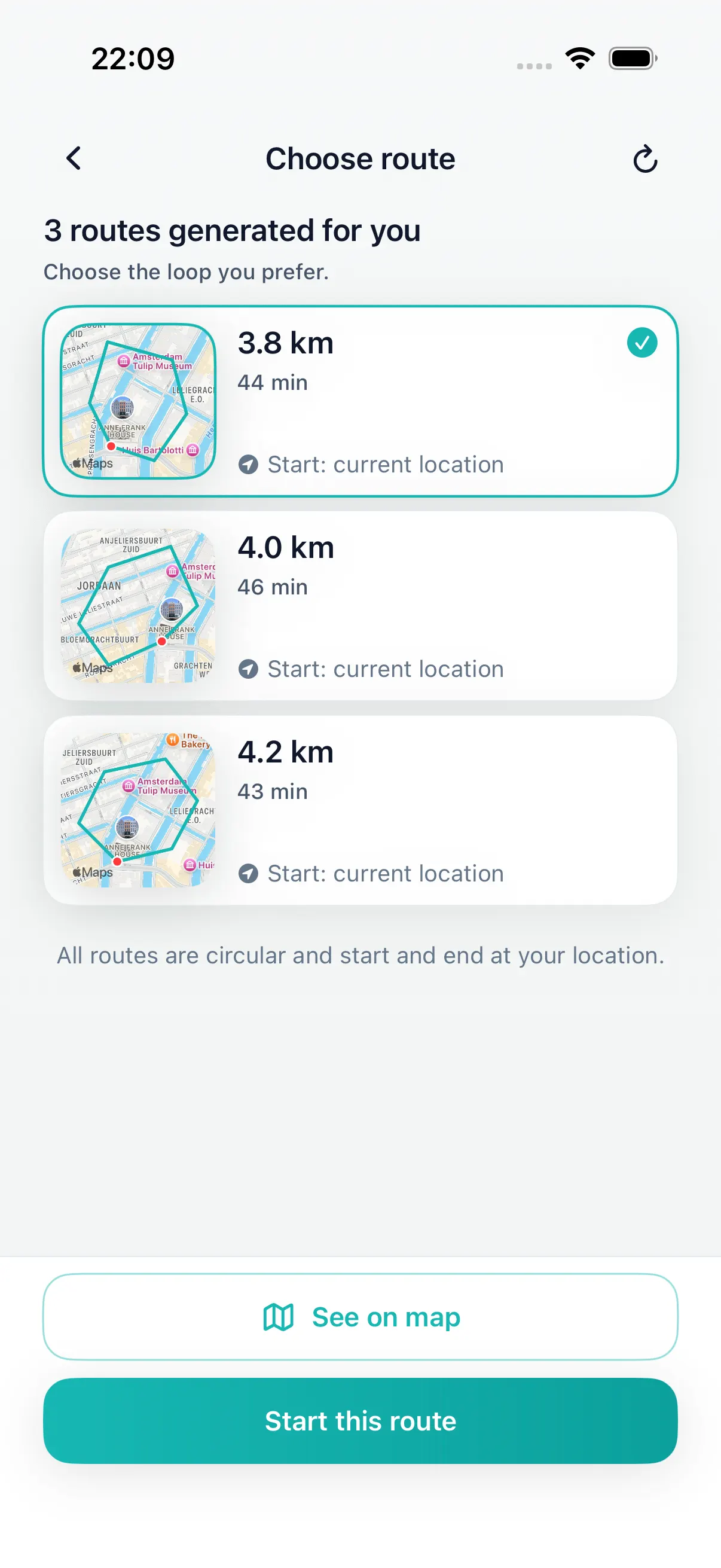
Choose a practical round trip instead of manually placing stops.
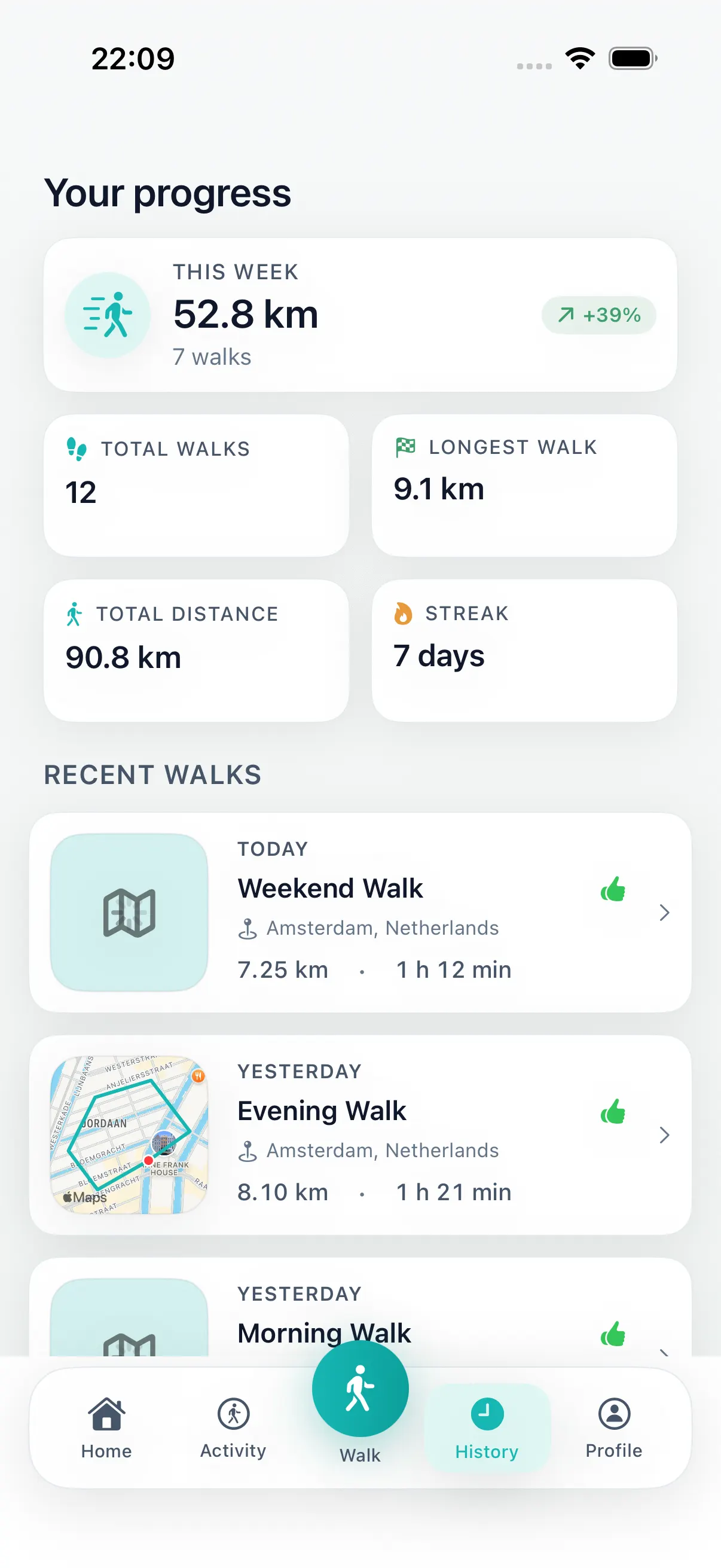
Save completed walks, review history, and sync with Apple Health when allowed.
Fair comparison
Google Maps supports walking directions, route alternatives when available, and multiple destinations. It is the obvious choice when you already know the place you want to reach.
DailyWander is narrower on purpose. It creates circular walking routes from your current location when the walk itself is the goal.
Use Google Maps when you need to arrive somewhere specific.
Use DailyWander when you know how far you want to walk.
Use DailyWander when the start and finish should be near the same place.
Why walkers switch
Best combined workflow
On travel days, Google Maps can get you to a neighborhood, station, hotel, or park. Once you are there, DailyWander can generate a walk from that spot and bring you back near the start.
Use any map or transit tool to get where you want to start.
Open DailyWander, pick a distance, compare loop options, and start walking.
Install DailyWander
Open the App Store link on iPhone, or scan the QR code from another device. DailyWander is free to download, with optional Premium.
Open DailyWander on the App Store
Explore
Choose the time window first, then generate a loop that fits.
Lunch break walk route plannerGenerate a short loop that fits a workday break.
30 minute walk route plannerGenerate a short loop walk when you have about 30 minutes.
Loop walk generatorGenerate a round trip from your current location.
Walking route planner for iPhonePlan iPhone walking routes without drawing every turn.
Walking routes near me appCreate nearby walking route options from where you are.
Walking route generatorGenerate walking route options from distance and location.
Circular walking route plannerCreate a route that loops back near where you started.
Daily walking appMake generated walks part of a repeatable iPhone habit.
Apple Health walking appSave completed walks and sync activity when you allow it.
Loop planner vs Google Maps articleRead the supporting comparison for route planning intent.
FAQ
Use Google Maps when you know the destination and need walking directions to that place. Use DailyWander when you want an automatically generated circular walk from your current location.
Yes. Google Maps supports walking directions to a destination and may show alternate routes when available.
No. DailyWander is focused on creating loop walks and saving walking progress. Google Maps remains useful for destination navigation, places, transit, and general map search.
Yes. You can use Google Maps to reach an area, then use DailyWander to generate a circular walk once you are there.