The two tools answer different questions.
A normal map app starts with a destination. You type a place, compare transport modes, and follow the fastest or clearest path. That is exactly what you want when you are meeting someone or finding a station.
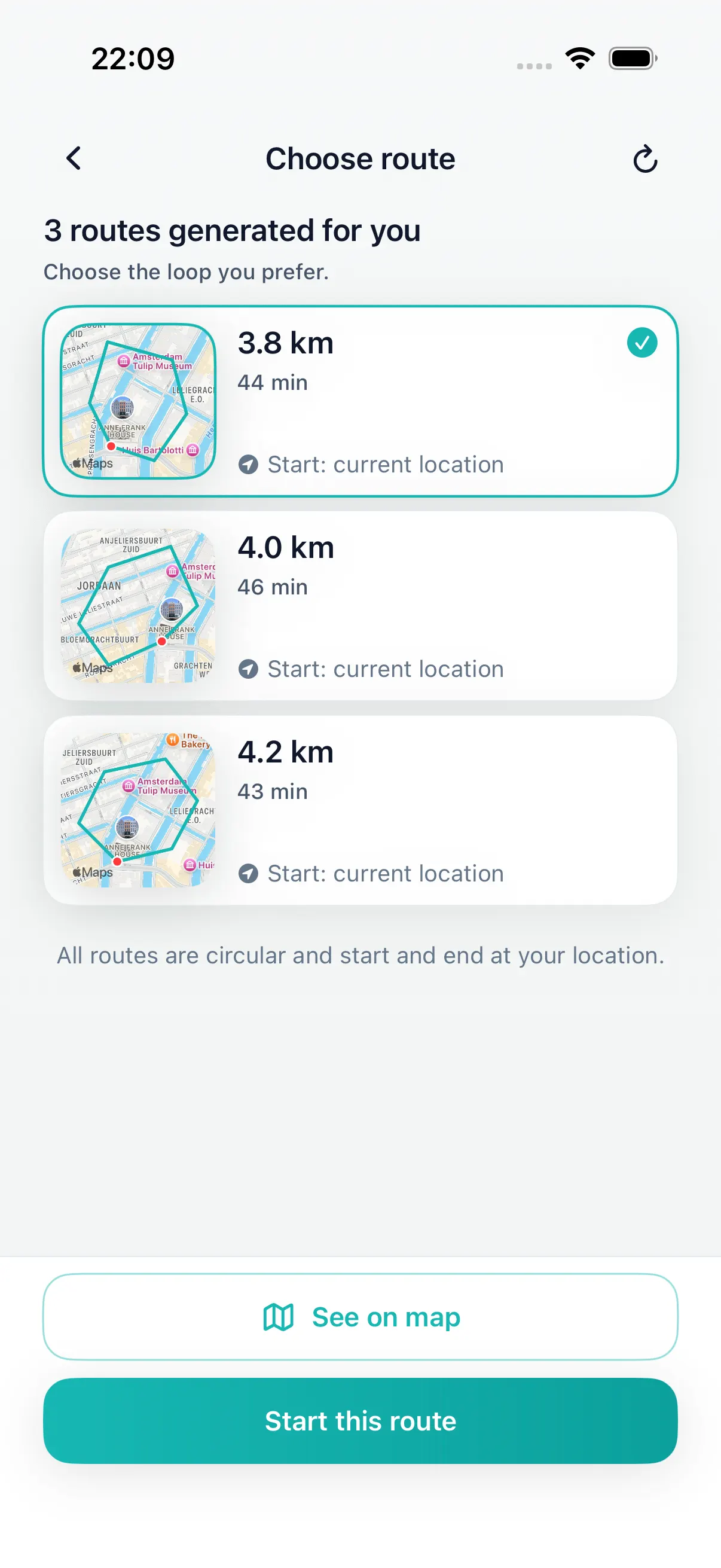
A loop route planner starts earlier. You may only know that you want a 25-minute walk, that you prefer heading toward the park, and that you need to finish near home. DailyWander turns that loose intent into a circular walking route.
The practical difference is the goal. If you want a restaurant, monument, station, or address, use destination navigation. If you want the walk itself, use route generation to create a round trip that fits a distance and returns close to the start.
Where each approach works
Neither product needs to replace the other. They sit at different points in the walking workflow.
| Use case | Google Maps | DailyWander |
|---|---|---|
| Best question | How do I get to this place? | Where can I walk from here and come back? |
| Route shape | Usually point-to-point. | Circular route from your current location. |
| Setup | Choose a destination, then navigate. | Choose distance, direction, route style, then generate. |
| Variety | Manual detours or saved places. | Shuffle and compare walking route variants. |
| Habit support | Useful records, but not built around daily loops. | Walk history, streaks, and Apple Health sync for repeat walking. |
Use this decision rule
- If you know the exact destination, open a map app first.
- If the start and finish are the same place, open a loop route planner first.
- If you want the route to fit a distance target, generate variants instead of dragging pins.
- If you are building a walking habit, keep the completed walk in a history you can review.
When to use both
For travel days, you might use Google Maps to get to a neighborhood and DailyWander to create a walk once you arrive. For daily use, you might open DailyWander first because the destination is simply returning to your door with more steps than when you left.
That is the difference between navigation and route creation. DailyWander is strongest when you do not want to invent the route yourself.
There is also a mental difference. Destination navigation rewards efficiency: fewer turns, less uncertainty, faster arrival. Daily walking often needs a softer balance: enough novelty to stay interesting, enough familiarity to feel easy, and a route length that does not quietly overrun your schedule. A dedicated walking route planner can optimize for that balance because it is not trying to solve every transport problem at once.
FAQ
Google Maps and walking-loop questions
Can Google Maps create a loop walking route automatically?
Google Maps can navigate a loop you define with destinations or stops, but it does not automatically generate several round-trip walks from your location by distance or available time.
How is a loop route planner different from Google Maps?
Google Maps usually begins with a destination. A loop route planner begins with your current location and a distance, time or direction, then generates routes that return near the start.
Can I choose how far or how long the walking loop should be?
Yes in DailyWander. Choose a target distance or available time, then compare the generated circular-route options before starting.
Should I use Google Maps or DailyWander for a walk?
Use Google Maps when you need directions to a known destination. Use DailyWander when the walk itself is the goal and you want a generated round trip from where you are.
Can I use Google Maps and a loop planner together?
Yes. For example, use Google Maps to reach a park or neighborhood, then use DailyWander there to generate a circular walk that returns near your arrival point.
DailyWander
Plan the next walk from where you are.
Download the iPhone app, generate a circular route, and choose the variant that fits today's walk.