How to make a circular walking route
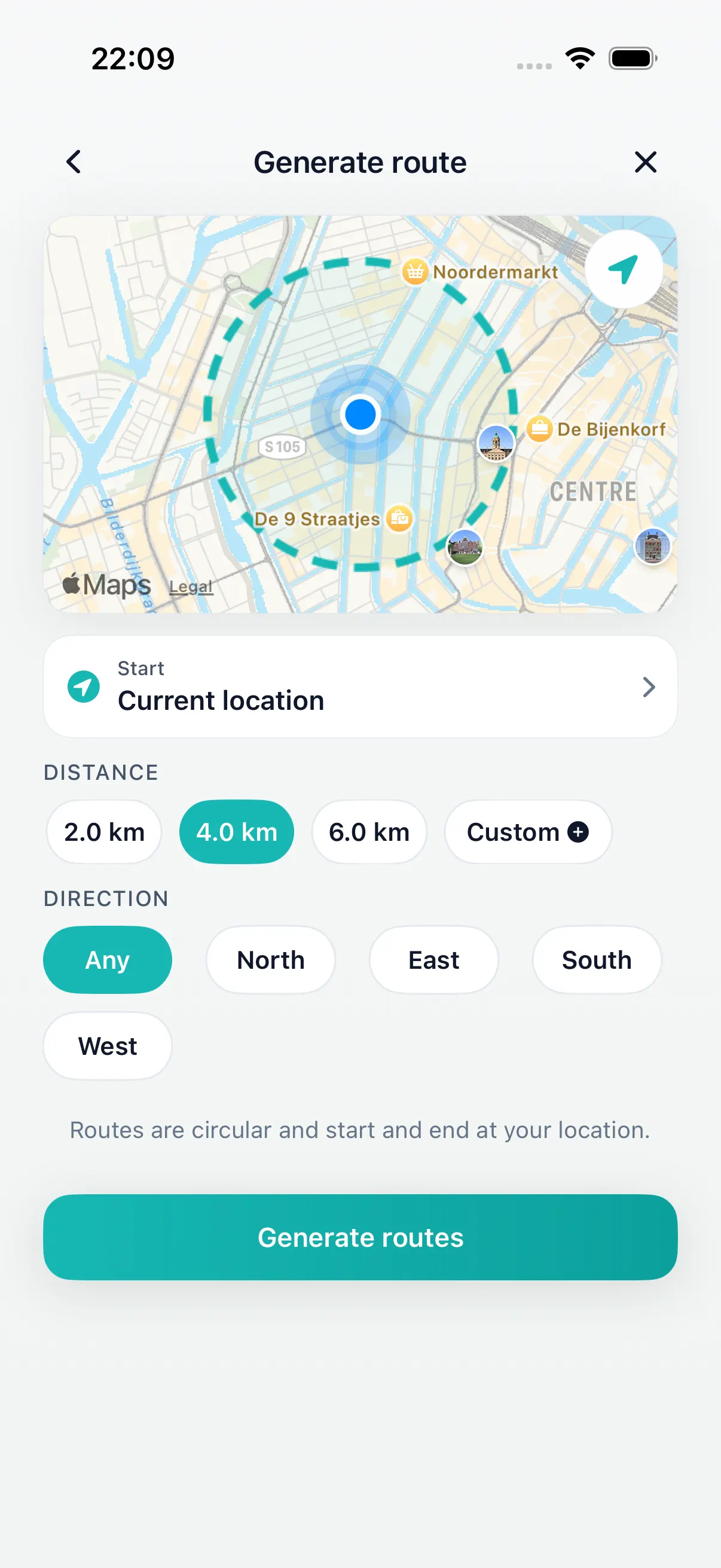
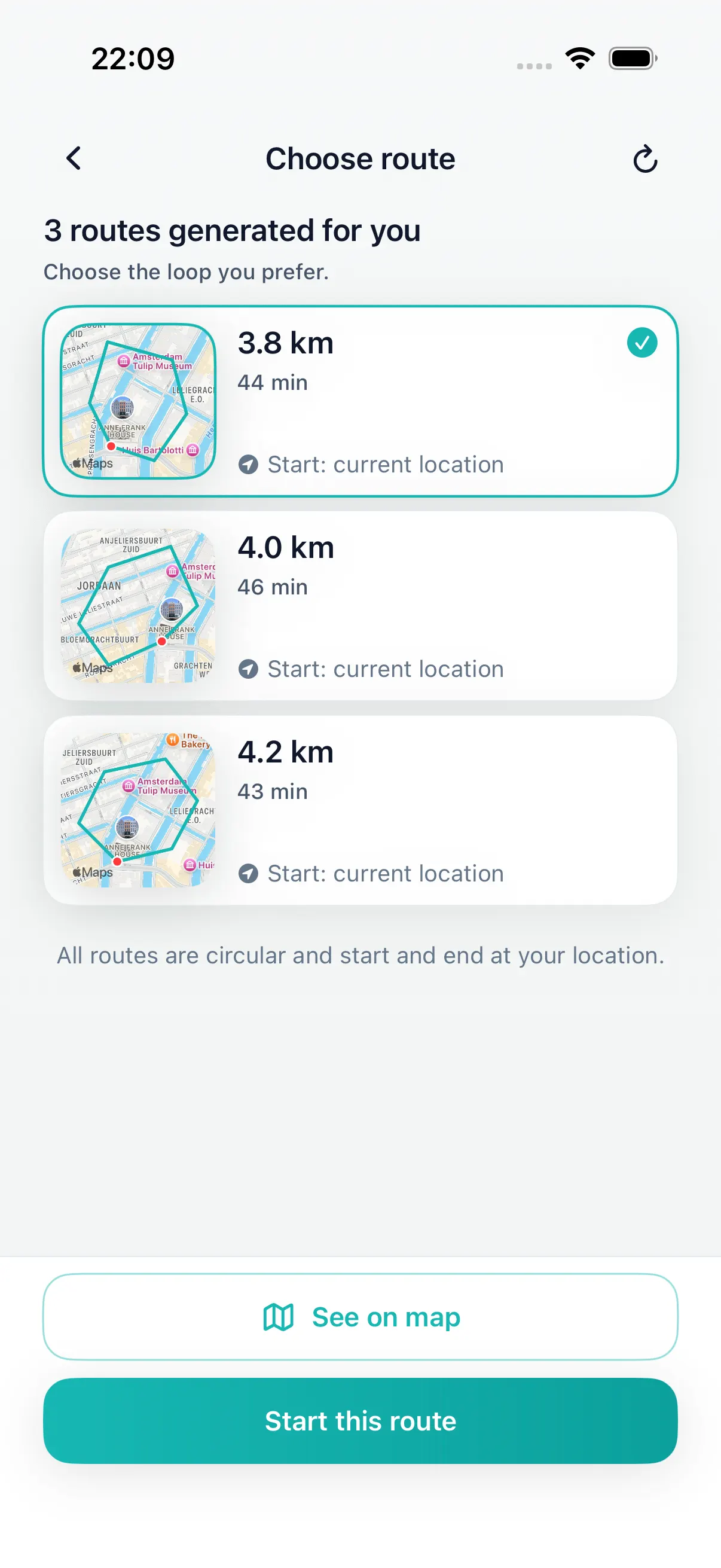
Start with your current location and choose the distance or time you can actually walk. DailyWander then creates several circular route options, so you can compare the shape, direction, and estimated length without placing every waypoint yourself.
Check that the route returns near the start and suits local access, daylight, and conditions before leaving. For a short break, choose a modest loop; for a longer walk, compare a few variants and select the one that fits the day.
A five-minute route setup
Use this workflow when you want a round-trip walk from your current location.
-
01
Choose the distance you will actually walk.
Pick a target distance that fits the day instead of chasing an ideal route. A useful daily walk is one you can finish.
-
02
Set a direction or route style.
Direction is useful when you know which side of town, park, or water you want to include. Route style helps the planner avoid making every walk feel identical.
-
03
Generate more than one option.
Look at the first route, then compare or shuffle variants if it sends you somewhere you do not feel like walking today.
-
04
Start only when the loop feels right.
A circular route should return near the start and feel easy to begin. If it needs too much explanation, choose another variant.
-
05
Review the walk afterward.
History, distance, time, steps, and Apple Health sync can turn the walk into a repeatable habit instead of a one-off outing.
Check the route before you press start
- Does the first turn feel natural from where you are standing?
- Does the distance fit the time you actually have, including traffic lights and slow streets?
- Does the route return close enough to the start point for the walk to remain practical?
- Is there a better variant for today's weather, light, or energy level?
When a circular route is better than A-to-B navigation
A-to-B maps are excellent when you know the destination. DailyWander is for a different question: where can I walk from here and end up back here? That is why the product focuses on loops, route shuffle, and a walk history rather than destination search alone.
Use DailyWander when you want movement without a logistics project. Use a standard map when you need the fastest way to a shop, station, or appointment.
The difference becomes clearest on repeat walks. A normal map can show roads, paths, and directions, but it will not automatically turn a 20-minute walking break into several circular route options. DailyWander keeps that planning step close to the habit itself, so the next walk starts with a decision you can make quickly.
DailyWander
Plan the next walk from where you are.
Download the iPhone app, generate a circular route, and choose the variant that fits today's walk.