
Route options
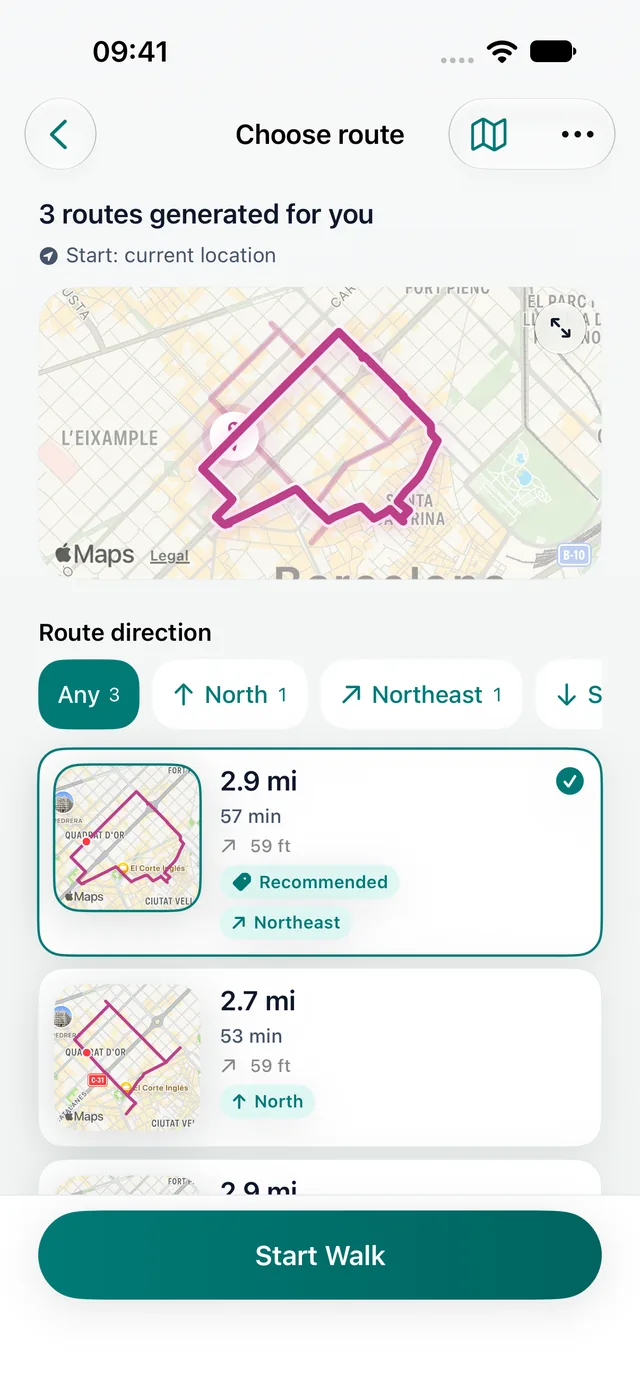
With Premium, compare three routes before choosing your walk.
Loop walking route planner
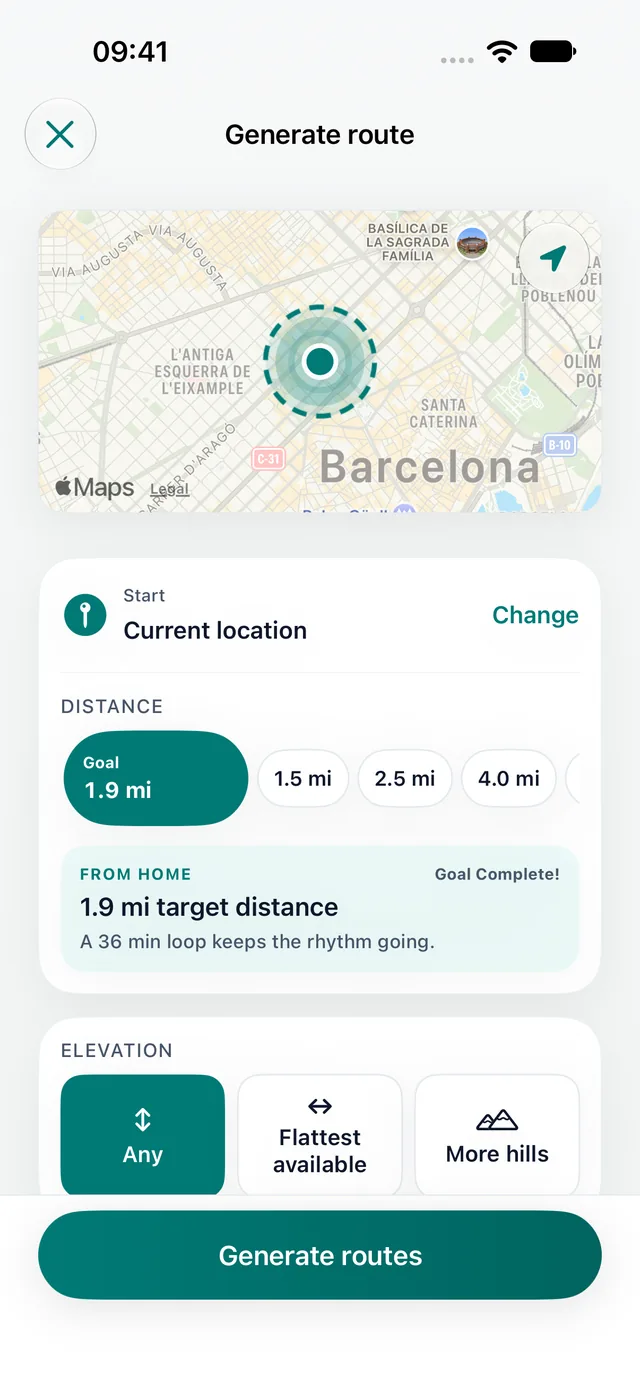
Choose how far or how long you want to walk. Daily Wander creates a circular route from your current location, with directions to bring you back near your start.
Inside the app
With Premium, compare three routes before choosing your walk.

Start and finish near the same point.

Review the recorded route, distance, time and steps after the walk.
Plan it on iPhone
Choose time or distance, generate a loop, and review it before you leave. Follow directions as you walk. No Apple Watch required.
Start with one daily loop. Comparing three route choices requires Premium. Walking times are estimates.
Daily Wander
Choose a distance and generate a walk loop from your current location on iPhone. Compare round-trip walking routes that start and finish near the same place.
Loop walking route planner
Choose how far or how long you want to walk. Daily Wander creates a circular route from your current location, with directions to bring you back near your start.
Start and finish near the same point.
With Premium, compare three routes before choosing your walk.
Keep familiar neighborhoods from feeling too repetitive.
Install Daily Wander
Open the App Store link on iPhone, or scan the QR code from another device. Daily Wander is free to download, with optional Premium.
Open Daily Wander on the App Store
Before you download
Daily Wander explains the permissions and limitations behind the walking experience, so you can decide with confidence before opening the App Store.
Browse the Daily Wander Help CentreExplore
Compare two iPhone apps for generated daily loop walks.
Walking route planner by timeChoose the time window first, then generate a loop that fits.
Lunch break walk route plannerGenerate a short loop that fits a workday break.
After-dinner walk route plannerGenerate an evening loop that returns near where you started.
30 minute walk route plannerGenerate a short loop walk when you have about 30 minutes.
45 minute walk route plannerGenerate a longer everyday loop when you have about 45 minutes.
Daily Wander vs Google MapsCompare destination navigation with distance-first loop walk generation.
See your walking route on iPhoneFind the map of a recorded walk in Fitness, and why it can be missing.
Daily walking appPlan the walk, save progress, and make the habit easier to repeat.
Walking routes near me appGenerate nearby route options from your current location.
Walking route generatorChoose a distance and generate route options automatically.
Circular walks near mePlan an easy circular walk that starts at your door and loops back to it.
Walking route planner USAChoose distance or time and generate loop walks from your current US location.
Walking route planner AustraliaCreate everyday loops around Australian cities, suburbs, parks, and travel bases.
Walking route planner UKPlan UK loop walks for city routes, parks, breaks, and lighter everyday walks.
Walking route planner CanadaGenerate Canadian city, waterfront, park, and neighbourhood loops from your location.
Walking route planner LuxembourgPlan loops from Luxembourg City, commute, hotel, and neighbourhood starting points.
Walking route planner GhanaGenerate and review loop options around suitable local streets and travel bases in Ghana.
Walking route plannerChoose a distance, direction, or time window on iPhone. Daily Wander generates loop options, shows each route on a map, and brings the walk back near where it started.
Free walking app for iPhoneDownload Daily Wander free, choose a distance or time, and generate a loop from your current location. Track distance and steps, then review the completed route in your walk history.
FAQ
A loop route starts and finishes near the same place, which makes it practical for everyday walking.
Yes. Shuffle and compare routes so your daily loop does not always feel the same.
Daily Wander is optimized for daily walks and city, park, and neighborhood loops.
Product help
These maintained guides explain the route, location, Health, battery, GPS, and streak behavior behind Daily Wander.
A walk loop starts and finishes near the same place. If you want a 30-minute walk from your location, choose the time for the complete circuit and leave room for crossings and stops. Daily Wander suggests the route in the iPhone app; check the map before starting.
Estimate your distance with the walking time calculator, or read the UK walk route planner for planning in miles. For a fixed city route, try the self-guided walking tour of Amsterdam. After recording, use the iPhone walking route history guide to find your map.
 Generate a walking loopFree download · Premium optional
Get