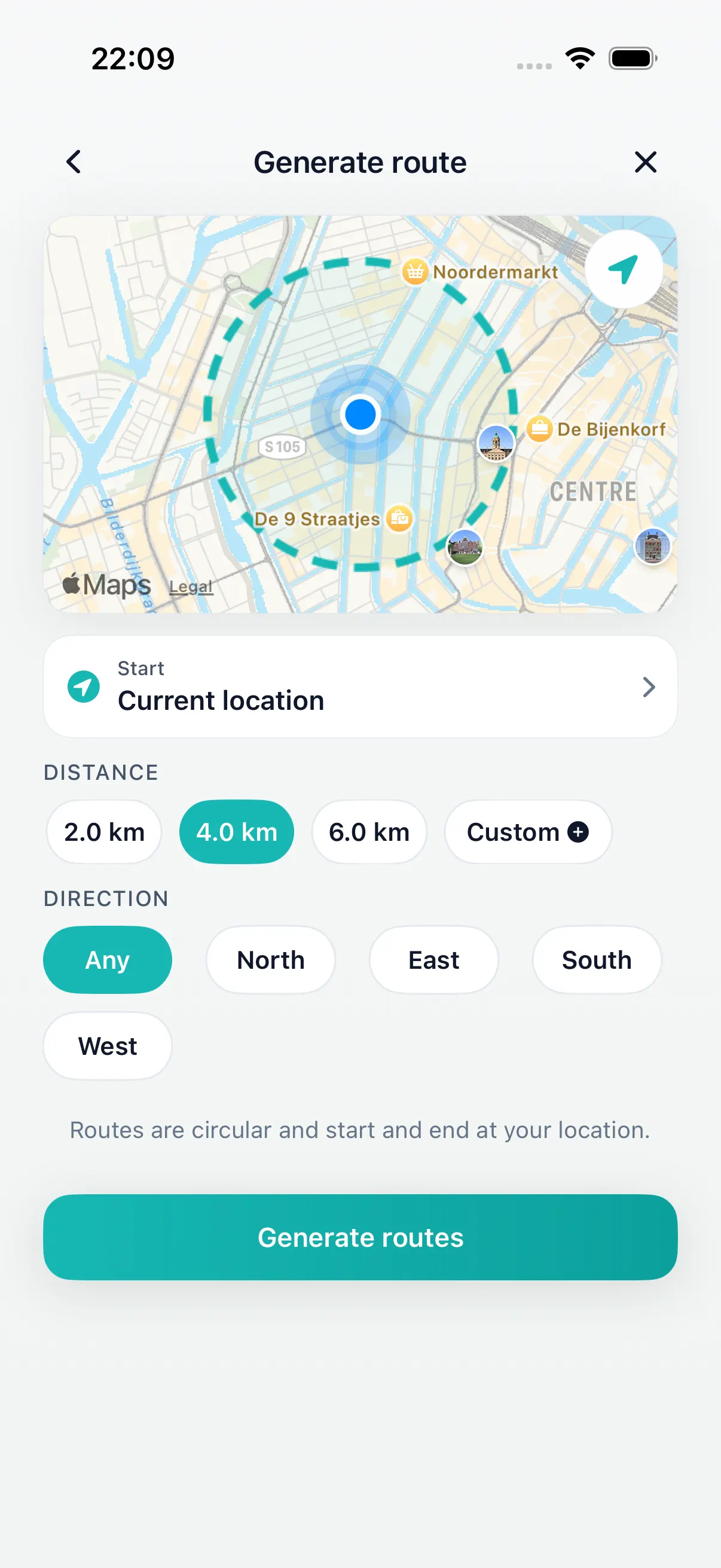
Plan the route
Choose distance and generate walk options from where you are.
Apple Health walking app
DailyWander helps you plan walking routes on iPhone, save completed walks, and sync walking activity with Apple Health when you allow it.
Inside DailyWander
Choose distance and generate walk options from where you are.
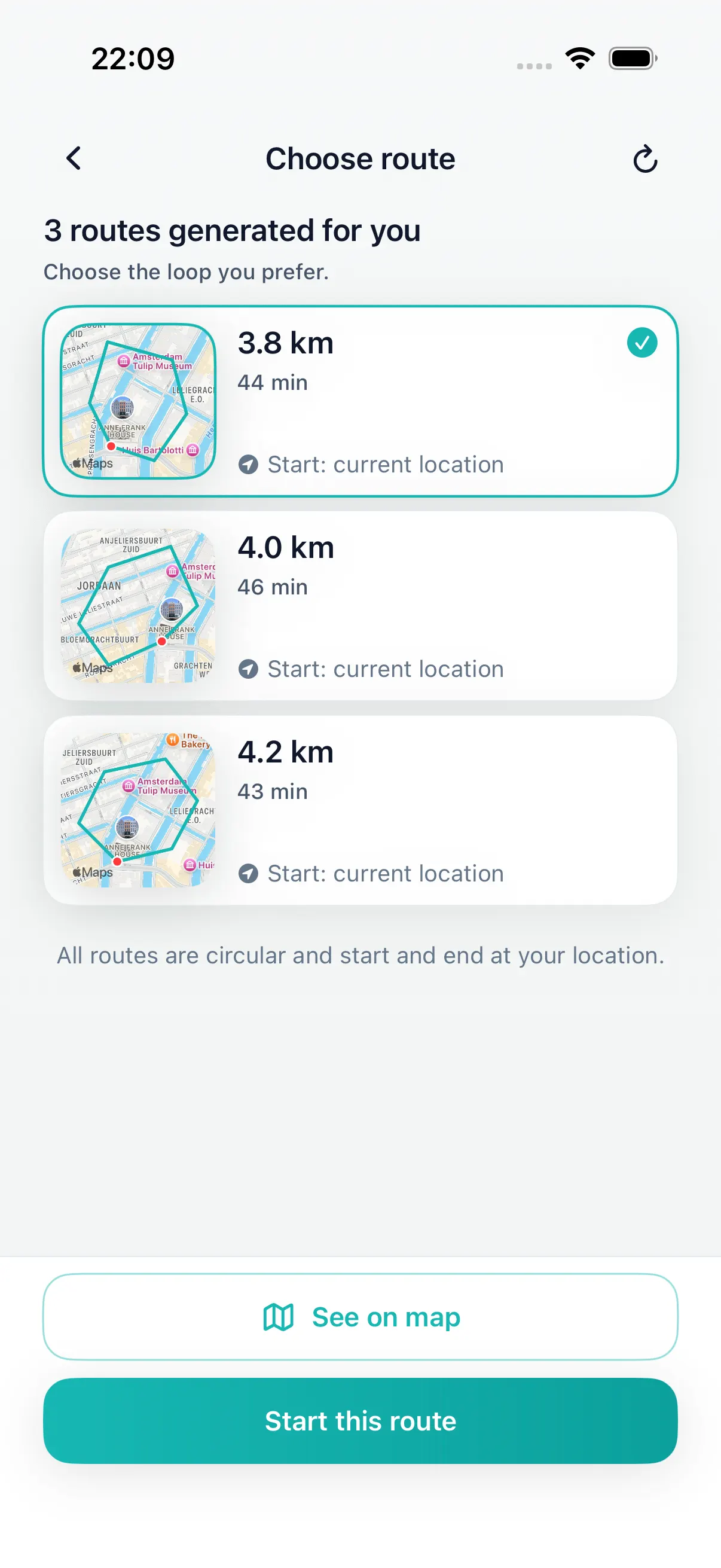
Complete the walk and keep the result in DailyWander.
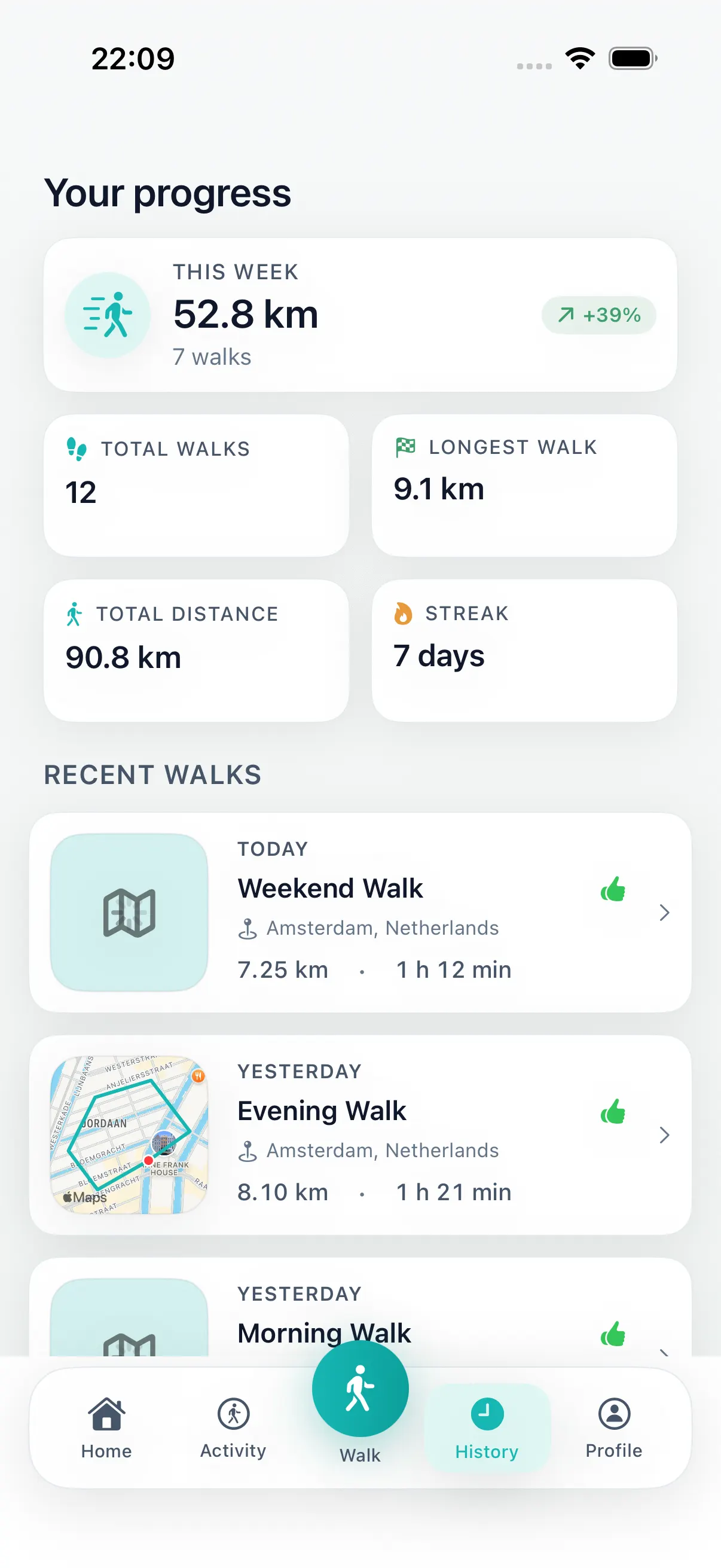
Use history and optional Health sync to keep activity aligned.
Apple Health sync
DailyWander can sync completed walking activity with Apple Health when you allow it. The route planning still works without Health access, and Health permissions remain controlled through iOS.
Free to start
DailyWander is free to download. Health sync is optional. Premium is for walkers who want more route variants, shuffle, direction preference, and deeper history tools.
Trust and permissions
Health data can feel personal. DailyWander keeps the explanation simple: plan the walk, save the completed activity, and use Apple Health sync only when you want that activity connected to iPhone's Health system.
Health sync depends on the access you allow on iPhone.
DailyWander supports walking habits, not diagnosis or treatment.
Keep the completed walk visible so the next one is easier to start.
Install DailyWander
Open the App Store link on iPhone, or scan the QR code from another device. DailyWander is free to download, with optional Premium.
Open DailyWander on the App Store
Explore
Choose the time window first, then generate a loop that fits.
30 minute walk route plannerGenerate a short loop walk when you have about 30 minutes.
DailyWander vs Google MapsCompare destination navigation with distance-first loop walk generation.
Daily walking appPlan the walk, save progress, and make the habit easier to repeat.
Walking app for iPhoneRoute planning, walk history, and Apple Health support.
Walking route planner for iPhonePlan walking routes on iPhone without drawing every turn.
Loop walk generatorGenerate a round trip from your current location.
Walking route generatorGenerate walking route options when you know the distance.
Apple Health explainerRead more about permissions, privacy, and Health sync.
FAQ
DailyWander can sync completed walking activity with Apple Health when you allow Health permissions on iPhone.
No. Apple Health sync is optional. You can use DailyWander for route planning and walk history without enabling Health access.
Yes. Apple Health and iOS settings control Health permissions, so you can review or change access on your iPhone.
No. DailyWander supports walking route planning and habit tracking. It is not medical advice and does not diagnose, treat, or guarantee health outcomes.